


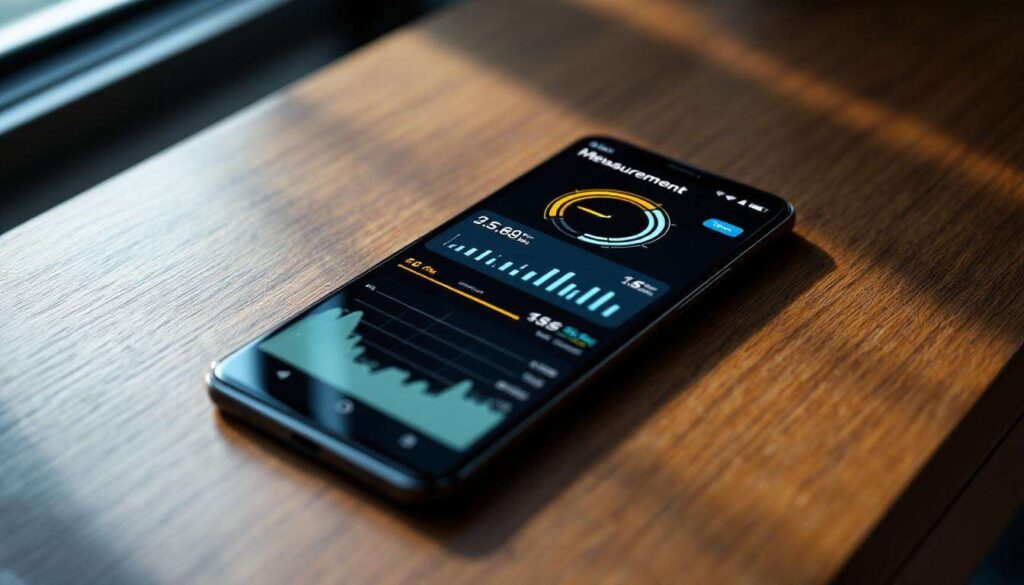
The device in your pocket is a marvel of modern engineering, a gateway to global communication, and an endless source of entertainment. Yet, for all its daily use, the modern smartphone holds capabilities that remain unknown to the vast majority of its owners. It turns out that beyond calls, texts, and social media, many Android phones possess a tool of surprising utility and precision: the ability to measure the physical world around you. This isn’t a gimmick but a functional feature powered by sophisticated technology, transforming your phone into a virtual tape measure that is, in many common scenarios, remarkably accurate.
The hidden feature of your Android
More than just a communication device
Smartphones have long transcended their primary function. They are our cameras, navigation systems, and personal assistants. This versatility is made possible by an array of sophisticated sensors packed into a slim chassis. While most users are familiar with the accelerometer that rotates the screen or the GPS that guides them through city streets, other sensors work quietly in the background. Technologies developed for augmented reality have unlocked a new layer of interaction between the digital and physical worlds, enabling functions that seem to belong in the realm of science fiction.
The rise of AR and LiDAR
The magic behind this measurement capability lies in augmented reality (AR). Specifically, it leverages Google’s ARCore platform, which allows the phone’s software to understand its position relative to the world around it. By using the camera to track feature points and the motion sensors to understand movement, the phone can build a virtual map of its environment. Some higher-end Android models are even equipped with a Time-of-Flight (ToF) sensor or, in rare cases, a LiDAR (Light Detection and Ranging) scanner. These dedicated hardware components emit infrared light and measure how long it takes to bounce back, creating a precise depth map of a room and dramatically improving measurement accuracy.
Understanding that this powerful hardware and software combination exists within the device is the first step toward unlocking its full potential for practical, everyday tasks.
Measuring distance accurately
The technology behind the measurement
When you point your phone at a surface to measure it, a complex process unfolds in milliseconds. The phone’s camera identifies visually distinct features in the environment, such as the corner of a table or the texture of a carpet. Simultaneously, the Inertial Measurement Unit (IMU), which includes the accelerometer and gyroscope, tracks the phone’s every tilt, turn, and movement. By combining this visual data with motion data, ARCore can determine the three-dimensional position of points in space. When you tap to select a start point and an end point, the software simply calculates the Euclidean distance between those two coordinates in its virtual model of your room. It is a brilliant fusion of computer vision and sensor data that delivers a measurement directly on your screen.
A comparison of accuracy
While the technology sounds impressive, its practical value hinges on its accuracy. For casual estimates, it proves to be exceptionally reliable. However, it’s important to understand its performance relative to traditional tools. The precision can vary based on the phone’s hardware, the software algorithm, and environmental conditions. Below is a table illustrating typical accuracy compared to a standard tape measure.
| Actual Distance (Tape Measure) | Phone Measurement (AR App) | Margin of Error |
|---|---|---|
| 12 inches (1 ft) | 11.9 inches | ~0.8% |
| 60 inches (5 ft) | 59.5 inches | ~0.8% |
| 120 inches (10 ft) | 118.2 inches | ~1.5% |
| 240 inches (20 ft) | 235.2 inches | ~2.0% |
As the data shows, the margin of error is often less than 2%, which is more than adequate for many tasks. The error tends to increase slightly with distance, but for measurements within a typical room, the results are consistently dependable.
With such a degree of precision readily available, the next logical step is learning how to access and utilize this feature effectively.
How to use the distance sensor
Finding the right application
This measurement capability is not typically a standalone function found in your phone’s settings menu. Instead, it is accessed through dedicated applications available on the Google Play Store. While Google once had its own “Measure” app, it has since been discontinued. Fortunately, numerous third-party developers have created powerful and user-friendly alternatives. Popular options include:
- AR Ruler App
- Moasure
- CamToPlan
These apps all leverage the same core ARCore technology but may offer different user interfaces or additional features, such as calculating area, volume, or creating a floor plan.
A step-by-step guide
Using an AR measurement app is remarkably intuitive. Though the interface may vary slightly between apps, the fundamental process remains the same. First, you must download your chosen application from the Google Play Store. Once installed, follow these general steps:
- Launch the app: Open the app and grant it the necessary permissions, most notably access to your camera.
- Calibrate the space: The app will instruct you to move your phone around slowly, pointing it at different surfaces. This allows the software to detect planes, like the floor, a wall, or a tabletop. You’ll often see a grid or dots appear on these surfaces once they are recognized.
- Set the start point: Aim the crosshair on your screen at the point where you want to begin measuring and tap the screen. This will drop a virtual pin.
- Measure the distance: Slowly move your phone to the desired end point. A virtual line will extend from your starting pin, displaying the distance in real time.
- Set the end point: Once you have the crosshair positioned at the end point, tap the screen again to lock the measurement. The final distance will be displayed.
This simple process turns a potentially cumbersome task into a quick and easy digital interaction.
Once you master the basic operation, you can begin to explore the wide range of real-world scenarios where this tool becomes invaluable.
Practical applications of measuring
Home improvement and decoration
One of the most immediate uses for a virtual measuring tool is around the house. Whether you are a renter or a homeowner, the need for quick measurements is constant. For instance, you can instantly check if a piece of furniture you see online will fit in your living room by measuring the available space. You can measure a wall to determine the right size for a new piece of art or a television. Other common uses include:
- Measuring window frames for new curtains or blinds.
- Estimating the square footage of a room to buy the correct amount of paint or flooring.
- Planning the layout of a room by measuring distances between furniture.
li>Checking the dimensions of an appliance to ensure it fits in its designated spot.
For these tasks, where perfect precision is not critical, the phone provides a fast and convenient alternative to digging a tape measure out of the toolbox.
On-the-go estimations
The true advantage of having a measuring tool on your phone is its constant availability. There are countless situations outside the home where a quick measurement is useful. Imagine you’re at a hardware store and need to know if a long item will fit in your car; you can quickly measure your trunk. If you’re shipping a package, you can get its dimensions on the spot to calculate shipping costs. It is also perfect for satisfying simple curiosity, such as measuring the height of a friend or the width of a doorway without needing any physical tools. It transforms a specialized task into an everyday convenience.
While the applications are numerous and compelling, it is equally important to recognize the circumstances under which this technology might not be the right tool for the job.
The limitations of the feature
When accuracy falters
The performance of AR measurement technology is highly dependent on environmental conditions. The phone’s camera needs to see clear, distinct features to track its position accurately. Certain situations can confuse the sensors and lead to inaccurate readings. These include:
- Poor lighting: In a dimly lit room, the camera cannot distinguish enough detail, causing the tracking to fail.
- Textureless surfaces: A plain, single-color wall or a glossy white floor offers no feature points for the system to lock onto.
- Reflective surfaces: Glass, mirrors, and highly polished metal can create reflections that mislead the camera’s perception of space and depth.
- Moving objects: The system assumes a static environment, so attempting to measure in an area with significant movement can disrupt its calculations.
Being aware of these factors can help you avoid erroneous measurements and know when to rely on a traditional tool instead.
Not a replacement for professional tools
It is crucial to set realistic expectations. While an Android phone’s measuring capability is surprisingly accurate for estimations, it is not a substitute for professional-grade measuring instruments. For tasks like construction, carpentry, or any work where precision down to a fraction of an inch is paramount, a physical tape measure, laser measure, or caliper remains essential. The phone’s AR tool is one of convenience and quick assessment, not for projects where errors could have costly consequences. Think of it as a reliable helper for informal tasks, not a certified instrument for professional trades.
Understanding these limitations allows users to make informed decisions, and for those seeking the best possible results, a few simple tips can further enhance the tool’s reliability.
Alternatives and tips for measuring
Other measurement apps to consider
The landscape of AR applications is constantly evolving. While some apps focus purely on linear distance, others offer a more robust feature set. If you are looking for an app, consider exploring a few to see which interface and feature set best suits your needs. Beyond the popular “AR Ruler App,” you might investigate apps like “GPS Fields Area Measure” for outdoor land measurement or “ImageMeter” which allows you to annotate dimensions on photos. Each app leverages the same core ARCore technology but presents it in a unique package, so experimentation is key to finding your favorite.
Tips for getting the best results
To maximize the accuracy of your measurements, a few best practices can make a significant difference. Following these simple guidelines will help you get the most reliable readings your device is capable of providing.
- Ensure good lighting: Use the tool in a well-lit area, as this is the single most important factor for accurate camera tracking.
- Move slowly and steadily: Avoid sudden, jerky movements. A smooth, deliberate motion helps the IMU and camera stay synchronized.
- Choose textured surfaces: Whenever possible, measure on surfaces with some visual detail, like a wood grain floor or a patterned rug, rather than a blank wall.
- Start calibration properly: When the app asks you to move the phone to scan the area, do so thoroughly. A good initial scan of the environment is the foundation for an accurate measurement.
- Break down long distances: For measuring a long wall, taking two or three shorter, consecutive measurements and adding them together can often yield a more accurate result than one single, long measurement.
The ability to measure the physical world is a powerful, often overlooked feature of the modern Android phone. It stands as a testament to the sophisticated fusion of hardware and software that we carry with us daily. While it may not replace the traditional tape measure for high-precision tasks, its accuracy is more than sufficient for countless everyday situations, from decorating a home to satisfying simple curiosity. Recognizing both its practical applications and its inherent limitations allows users to transform their smartphone into an even more versatile and indispensable tool.